Eagle Eye Networks

Video Analytics

Learn about the benefits of video analytics for video surveillance and get all the latest news on the Eagle Eye Cloud VMS Analytics.

Loitering Analytic

Loitering Analytic

Loitering detection monitors a defined area and will trigger a loitering event if an object lingers longer than the configured dwell time. Loitering events can also be set up to send an email and push notification. Applications range from Lobby and ATM areas where a person lingering could indicate a
Read More »
motion-vs-analytics-blog-image-c

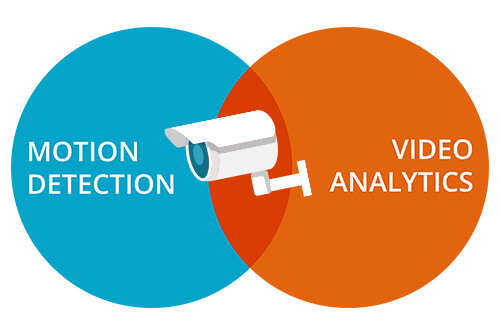
Motion Detection vs. Analytics

The Eagle Eye Cloud Security Camera VMS includes an integrated motion detection and object-based analytics system. This provides a variety of features, which recognize motion and objects in your video, and can be used to send intelligent notifications. To help decide which feature(s) will work best for you, we have

Read More »
line-crossing-blog-post-new-image

Line Crossing

About Line Crossing Line Crossing is setup the same as Object Counting, but with the ability to send a notification when the line is crossed in the specified direction. The current count is not overlayed on the preview or history browser, but the count is graphed. For highest accuracy with

Read More »
Analytics-Counting

Object Counting

About Object Counting For higher accuracy when counting people, use a dedicated camera mounted with a top-down view in which persons remain the same size as they travel through the image. In order to be counted, objects must be tracked across a line. This means the object must be tracked

Read More »
Analytics-Intrusion-Detection-2

Intrusion Detection

About Intrusion Detection Intrusion detection is used to generate an alert when an object enters a forbidden area. The forbidden area may be any size and shape. Notifications may be sent. Intrusion regions are created the same way as motion regions. Click the yellow plus (+) symbol to add a

Read More »
Analytics-Setup

Enabling Video Analytics

How to Enable Video Analytics To enable Video Analytics, go to camera settings and choose the Analytics tab. Each analytic may be enabled separately and is billable per camera. A new tab will appear for each when clicking the checkbox. Camera Settings – Enabling Analytics To view the analytics overlay

Read More »
Security-Analytics-New-Line-Crossing-Image

Security Analytics

Eagle Eye Networks released Line Crossing and Intrusion Detection security analytics for the Eagle Eye Cloud Security Camera VMS. These security analytics ensure surveillance images are continuously analyzed in real-time to alert Eagle Eye Customers to things that need attention. Custom alerts can be generated, and these analytics can be

Read More »
Business-Analytics-Blog-Image

Business Analytics

Eagle Eye Networks launched Object Counting business analytics for the Eagle Eye Cloud Security Camera VMS. With Object Counting, businesses can interpret data directly from the source to help them make smarter decisions. Some examples include: Monitoring presence to reduce utility bills Identifying patterns in customer activity to improve sales

Read More »
Adjusting Motion Settings

Adjusting Motion Settings

Regions and Alerts The Eagle Eye Networks VMS allows an unlimited amount of regions and alerts per camera. These can be added by opening camera settings and selecting the motion tab. In this example, a region named Entry-Exit is shown with separate motion sensitivity from the overall motion sensitivity of

Read More »
masking-out-motion-areas

Creating Email Alerts

In part 1, we showed how to mask out a motion zone to ignore motion. In this post we are going to show how to create email alerts. We will be setting up email alerts on my front door. I am interested on getting an email notification whenever someone enters

Read More »