



Eagle Eye Networks

Eagle Eye Cloud VMS

Editions

Get the features that matter most to your own business, whether that means 911 Camera Sharing, command-line access, or advanced reports.

vms hero editions - VMS V2 - Editions

Features included in the VMS

Surveillance solutions that fit your business

Choose from three Editions to align the Eagle Eye Cloud VMS with your organization’s size and surveillance needs. Advanced features complement the powerful core functions of the Eagle Eye Cloud VMS to better suit large and enterprise operations.

Expanded features for large and enterprise businesses

Larger organizations need additional management tools to streamline their security system. Eagle Eye Networks developed additional features to benefit operations with multiple locations, many cameras, a large number of users, regulatory requirements, and complex needs.

vms editions img01 - VMS V2 - Editions
icon lvs networkings - VMS V2 - Editions

Single Sign-On

Streamline access management across multiple applications and websites. Use secure login credentials for all system access.

icon lvs tablet - VMS V2 - Editions

Site / Floor Plans feature

Manage groups of cameras by location or view them on a floor plan.

icon lvs appletv - VMS V2 - Editions

Audit log

Review and track user activity. Ensure compliance and proper system use. Proactively prevent unwanted changes with Audit Log Notifications.

icon lvs windows - VMS V2 - Editions

Smart Layouts feature

AI prioritizes cameras with detected motion to the top of the dashboard layout so that live activity is immediately viewable.

icon lvs appletv - VMS V2 - Editions

Command Line Interface (CLI)

Easily create scripted commands to automate scaled or system-wide functions, including system edits, downloads, and troubleshooting.

icon lvs monitor - VMS V2 - Editions

911 Camera Sharing

Share pre-selected security cameras, so emergency telecommunicators can pass vital information on to first responders (only available in the U.S.).

Which Edition is right for your business?

vms-ava-ai
Standard Edition

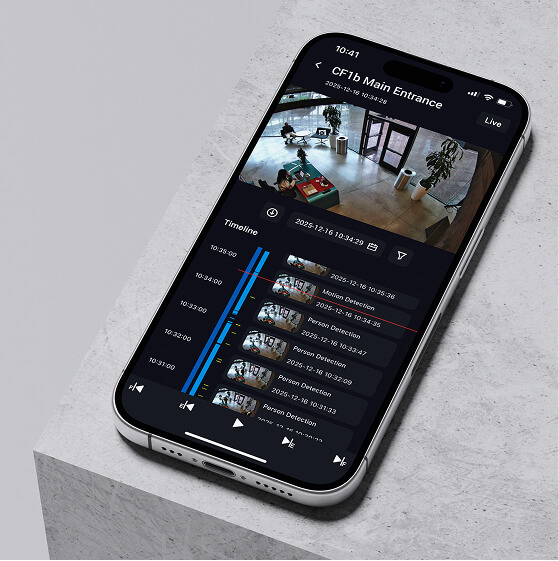
The base level is designed to meet the needs of the majority of businesses that value remote cloud access at an affordable cost. It includes all the core capabilities of the VMS — including Smart Video Search and AI analytics — to improve security and business operations. 

vms-ava-alerts
Professional Edition

Designed for mid-sized (10 to 25+ locations) and rapidly growing business operations. Professional includes added features to better manage large quantities of locations, users, and cameras.
vms-ava-access
Enterprise Edition

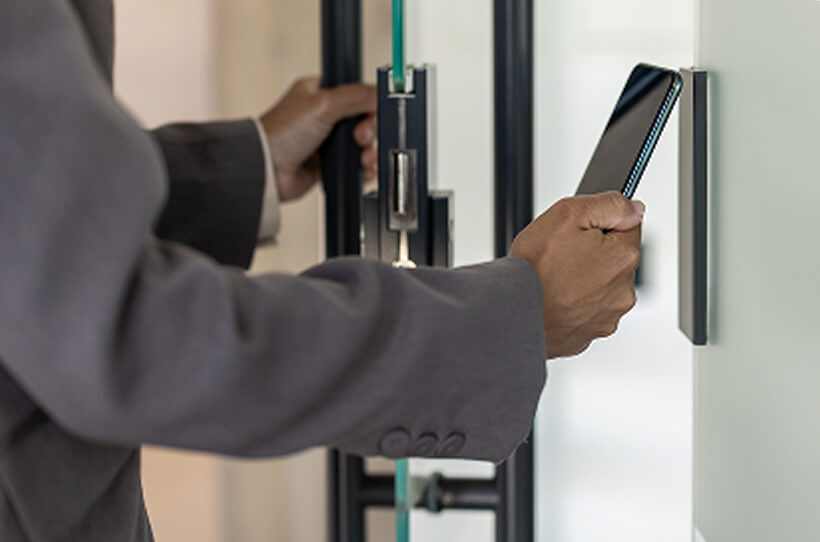
Ideal for large, distributed, and multinational businesses. Enterprise supports unlimited users and provides a sophisticated access management solution plus advanced operational reporting to meet audit and regulatory requirements.

Select the right Edition for your business needs:

FeaturesStandardProfessionalEnterprise

Standard

Professional

Enterprise

Cameras per accountUnlimitedUnlimitedUnlimited
Users per account1001,000Unlimited
Cloud archive10 GB fixed5 GB per Bridge10 GB per Bridge
Smart Video Search7 daysCamera retentionCamera retention
Basic Analytics (Intrusion, Loitering, Line Crossing, Object Counting, and Camera Tampering)
QL Stream
Multi-factor authentication
Immix Integration
Camera Tags
Maps
Single Sign-on (SSO)
Locations
Floor Plans

Smart Layouts

Audit Log

911 Camera Sharing *$
Audit Log Notifications
Basic Reports
Advanced Reports
Command Line Interface (CLI)
Password protected archive sharing
System for Cross-domain Identity Management (SCIM)
User Roles and Groups
Periodic system health reviewAnnualQuarterly
Additional Features Available
Face Matching (coming soon)$$$
Gun Detection *$$$
Safety Monitoring (coming soon)$$$
License Plate Recognition (LPR)$$$
VSP$$$
Precision Person & Vehicle Detection$$$
POS Integration$$$
Sensors$$$

Frequently asked questions

Which Edition is right for my business needs?

Editions help large and enterprise businesses manage their surveillance system. The Professional Edition provides features like Sites and Floor Plans and Audit Log that help large and growing businesses better manage a large number of sites, cameras, and users. 

The Enterprise Edition provides the expanded management tools plus advanced reporting tools that help with audit and regulatory compliance requirements.

Both the Professional and Enterprise Editions offer Single sign-on.

What new features come with each Edition?

New features are in constant development to continue to streamline and improve how businesses use their Eagle Eye Cloud VMS. When a new feature is released it will be added to the diagram on this page as they are developed and information about those features will be shared with our certified partners.

How much do Eagle Eye Editions cost?

The Standard Edition is the base tier that comes with all Eagle Eye Networks accounts. The Professional and Enterprise Editions include additional features geared towards the needs of larger businesses. Contact our sales team to learn more about pricing and features of the Professional and Enterprise Editions.

Is Smart Video Search part of Editions?

Smart Video Search is available to all Eagle Eye users regardless of which Edition they use.

Are AI Video Analytics available for any Edition?

Part of the flexibility of an Eagle Eye Networks Video Management System is the ability for any user to add AI-based Video Analytics, such as line crossing and object counting, to any camera connected to the cloud-based system. These analytics features, including Eagle Eye LPR (license plate recognition), can be applied to any camera and do not require an Edition subscription.

Can I change which Edition my business uses?

Eagle Eye Networks cloud Video Management System is flexible and allows users to make changes as their business needs change or their business grows.

Features included in the VMS

Let's start solving your problems.

Schedule a demo today.

vms contact img - VMS V2 - Editions