

Eagle Eye Networks

Eagle Eye Cloud VMS

Reports

Stay compliant and in the know. Keep tabs on the health of your cameras and your entire surveillance system.

vms hero reports - VMS V2 - Reports

Features included in the VMS

Provide regular health checks to resolve system issues quickly.

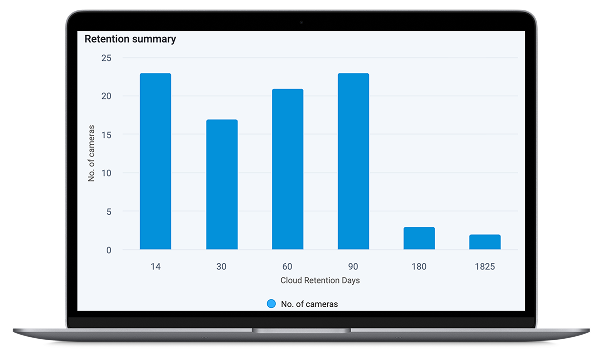
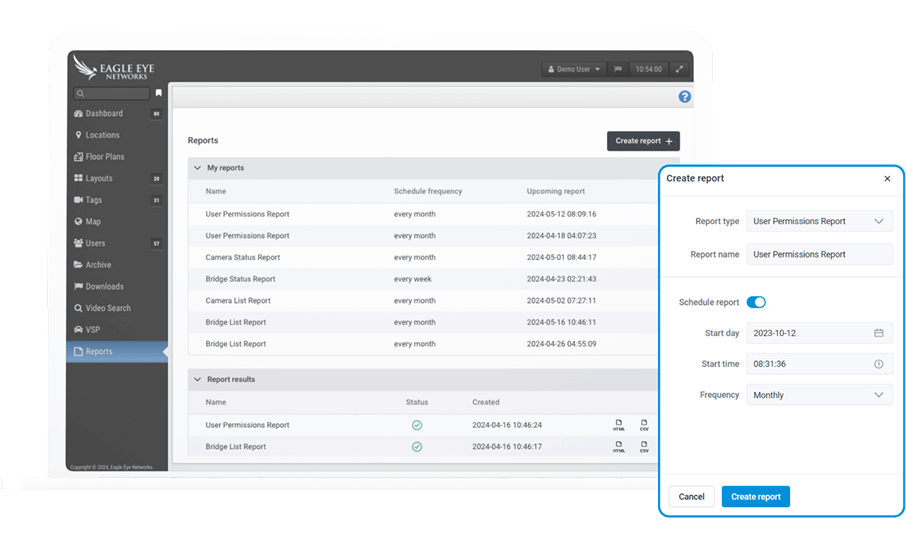
Convert raw data about your surveillance infrastructure into actionable insights. Reports can be run on demand or on a one-time or recurring schedule to show you the number and status of all your connected cameras and bridges, make trends visible, and help you understand access patterns for every authorized user.

  • Discover patterns in your data to identify new opportunities and potential risks
  • Stay up to date with evolving compliance requirements and avoid costly penalties
  • Break down silos and improve collaboration across your organization
vms reports ui - VMS V2 - Reports

Key benefits

icon vms reports analytics - VMS V2 - Reports

Flexible report creation

End users can generate reports themselves or have them created and sent by operating partners.

icon vms reports todo - VMS V2 - Reports

Complete specification

Quickly generate an easy-to-read listing of cameras, bridges, and configured users enables easy asset tracking.

icon vms reports hwc - VMS V2 - Reports

User-friendly output

Administrators track key insights and get instant visual clues about their system’s status.

icon vms reports quality - VMS V2 - Reports

Turnkey operation

Five distinct report types are included to meet the most common information needs instantly.

vms reports ui - VMS V2 - Reports

Track data from and about your cameras

  • Discover hidden patterns and trends in your data to identify new opportunities and address potential risks.
  • Ensure compliance with evolving compliance requirements.
  • Break down silos and improve collaboration across your organization.
  • Optimize your Eagle Eye Cloud VMS resource utilization.
  • Increase user insight and tighten access control.

Use cases for reports

Here are some examples of how reports can be helpful. And there are new ways to provide more business value every day.

uc classic carousel img1 - VMS V2 - Reports
HOAs and multi-family

Consolidate data across multiple properties.

vms-reports-hospitals
Hotels and hospitals

List and audit camera locations, floor by floor.
vms-reports-education
Education

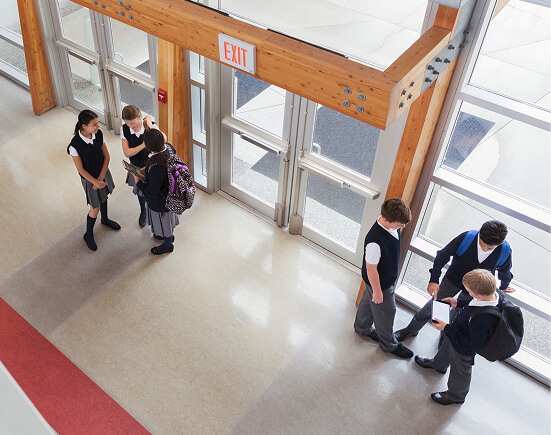
Check camera status and uptime campus-wide.

vms-reports-parking
Parking facilities

Maintain camera health for customer safety.

vms-reports-fleet
Fleet management

Integrate camera management with operations.

vms-reports-quickserve
Quick-service restaurants

Ensure drive-through traffic remains in view.
Features included in the VMS

Let's start solving your problems.

Schedule a demo today.

  • This field is for validation purposes and should be left unchanged.
  • By submitting this form, I agree to be bound by your Privacy Policy
    This site is protected by reCAPTCHA and the Google Privacy Policy and Terms of Service apply.
vms contact img - VMS V2 - Reports
