Eagle Eye Networks

VMS Tech Support

Cloud Video Surveillance Weekly Summary

Cloud Video Surveillance Weekly Summary

Eagle Eye Networks now offers a weekly email to our resellers’ administrators that summarizes the status of accounts managed by that reseller. The Cloud Video Surveillance Weekly Summary is an executive view of the reseller accounts and shows the 5 top accounts needing attention.

Read More »
Loitering Analytic

Loitering Analytic

Loitering detection monitors a defined area and will trigger a loitering event if an object lingers longer than the configured dwell time. Loitering events can also be set up to send an email and push notification. Applications range from Lobby and ATM areas where a person lingering could indicate a

Read More »
Arlo battery operated wireless cameras

Arlo Flexpower

Have you ever wanted to use battery-operated wireless cameras for professional video surveillance? Sure there are a few wireless cameras, but they require power, which means the camera is still actually “wired” with a power cable. It seems there is always a position a customer wants to place a camera

Read More »
line-crossing-blog-post-new-image

Line Crossing

About Line Crossing Line Crossing is setup the same as Object Counting, but with the ability to send a notification when the line is crossed in the specified direction. The current count is not overlayed on the preview or history browser, but the count is graphed. For highest accuracy with

Read More »
Analytics-Counting

Object Counting

About Object Counting For higher accuracy when counting people, use a dedicated camera mounted with a top-down view in which persons remain the same size as they travel through the image. In order to be counted, objects must be tracked across a line. This means the object must be tracked

Read More »
Analytics-Intrusion-Detection-2

Intrusion Detection

About Intrusion Detection Intrusion detection is used to generate an alert when an object enters a forbidden area. The forbidden area may be any size and shape. Notifications may be sent. Intrusion regions are created the same way as motion regions. Click the yellow plus (+) symbol to add a

Read More »
Analytics-Setup

Enabling Video Analytics

How to Enable Video Analytics To enable Video Analytics, go to camera settings and choose the Analytics tab. Each analytic may be enabled separately and is billable per camera. A new tab will appear for each when clicking the checkbox. Camera Settings – Enabling Analytics To view the analytics overlay

Read More »
PoE-Switch-FI

Managed PoE Update New Features

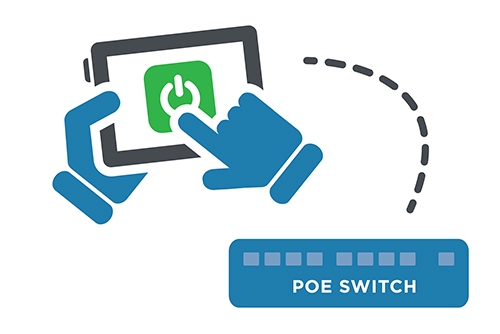
Remote PoE The Eagle Eye Managed PoE Switches provide more functionality directly from the Eagle Eye Reseller Dashboard. Authorized users will be able to power cycle an individual PoE camera or the entire switch remotely, so there is no need to send service personnel to reboot or restart cameras. Power

Read More »
Dynamic-Filtering-FI

Dynamic Filtering Usage

From any view, enter text to filter results in real time. The name, tag, address, and location are used to filter. The results are displayed as text is entered and remain persistent until the text is cleared. Clearing the text can be done by pressing ”Esc” on the keyboard, or

Read More »
TwoFactor-FI

Two Factor Authentication Configuration

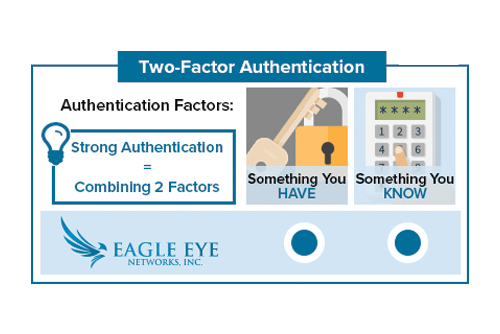
Enabling Two Factor Authentication In the top right corner of the Eagle Eye Networks web interface, click on your username and select “My Profile.” Check the box labeled Two Factor Authentication and follow the prompts to enable. Don’t forget to save your changes. If a phone number has not been

Read More »
helpfiles-FI

Work Smarter with Help Files

Work smarter! Take advantage of the Help Files located throughout the Eagle Eye web interface. When you see a blue circle with a question mark, you can click for more information.  The Help Files not only explain the options and features for the area they are found, but they also

Read More »
Local-Display-FI

Local Display via Browser Usage

Local Display A user with permission “Administrator” or “Edit All and Add” is required to enable Local Display. The user must sign into the Eagle Eye Networks Cloud, and from the Dashboard, click the gear icon next to the bridge to open Bridge Settings. Then, select the Local Display tab.

Read More »
videonotespsd

Searchable Video Clip Notes Usage

Downloading and Download Notifications Video can be requested for downloading from the history browser. When a video is ready, it will appear under the notifications flag in the top right of the web interface. It will also appear on Notifications page with a link for downloading as well as a

Read More »
camera-settings-from-layout

Accessing Camera Settings

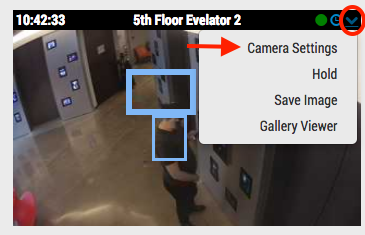
With the proper permissions, camera settings can be accessed from the dashboard or from layout view. From the dashboard, click the gear icon to open the cameras settings. From a layout, click the dropdown in the upper right corner over the preview image and select settings. Related posts:  Adjusting Motion

Read More »
motion-settings-overview

Motion Settings Overview

The Eagle Eye Networks VMS records two video streams from each camera: preview video and full video. Preview video is typically a lower frame rate and resolution so that no matter the motion settings, there is a recording of everything. At default, preview video is transmitted in real time to the

Read More »