Eagle Eye Networks

Enabling System Notifications

4月 28, 2015 Hans Kahler

We have enabled resellers to receive notifications for all the accounts them manage. This blog post is going show how to enable and manage this feature.

When logged into your reseller account, you will choose “My Profile” from the account menu in the upper right.
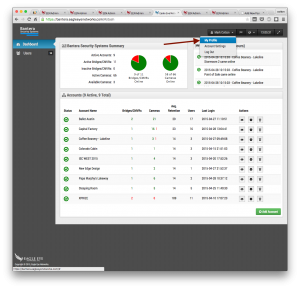
Screen Shot 2015-04-28 at 1.05.30 PM

Click on the “Notifications” tab and select “System”.
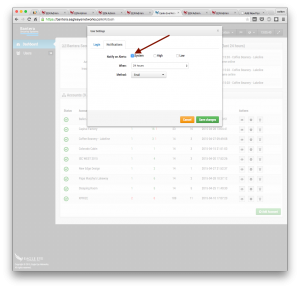
Screen Shot 2015-04-28 at 1.05.39 PM

In the settings for each sub-account, you can now select if you would like to receive notifications. By default they are disabled.
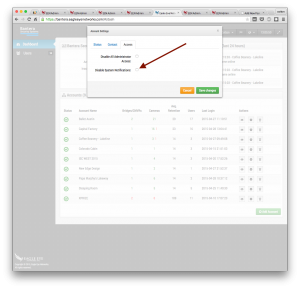
Screen Shot 2015-04-28 at 1.05.49 PM

あなたに興味があるかもしれない他の投稿

loading

Dean Drako, Eagle Eye Networks CEO

Dean Drako, Eagle Eye Networks…

3月 19, 2016 Eagle Eye Networks

Eagle Eye Networks Team at ISC West

Eagle Eye Networks ISC West 20…

3月 19, 2016 Eagle Eye Networks

Power Supplies: What are they?

What are power supplies? What …

10月 6, 2015 Eagle Eye Networks