
The Eagle Eye Security Camera VMS has added a maps feature to the viewing platform. This user-controlled feature has integrated a map into the user-platform and provides a physical layout of a camera system.
Here is what the layout looks like, using the Eagle Eye Networks office and camera layout as an example:
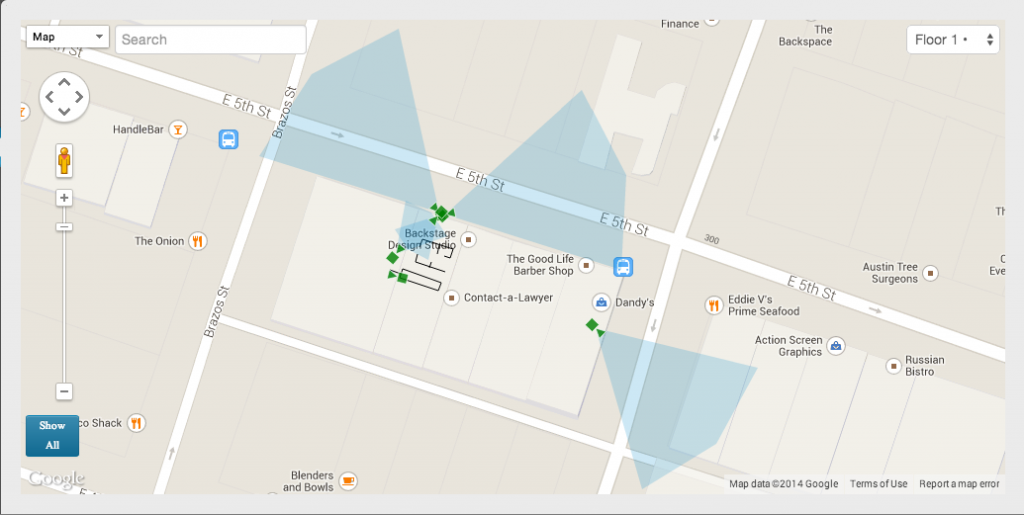
Notice that all of the cameras are green. That means that the cameras are online- an offline camera will be red.
You can create maps for multiple locations, assigning each camera on the account to the appropriate place. The maps feature also comes with maximum flexibility, allowing you to zoom in and out at your discretion.
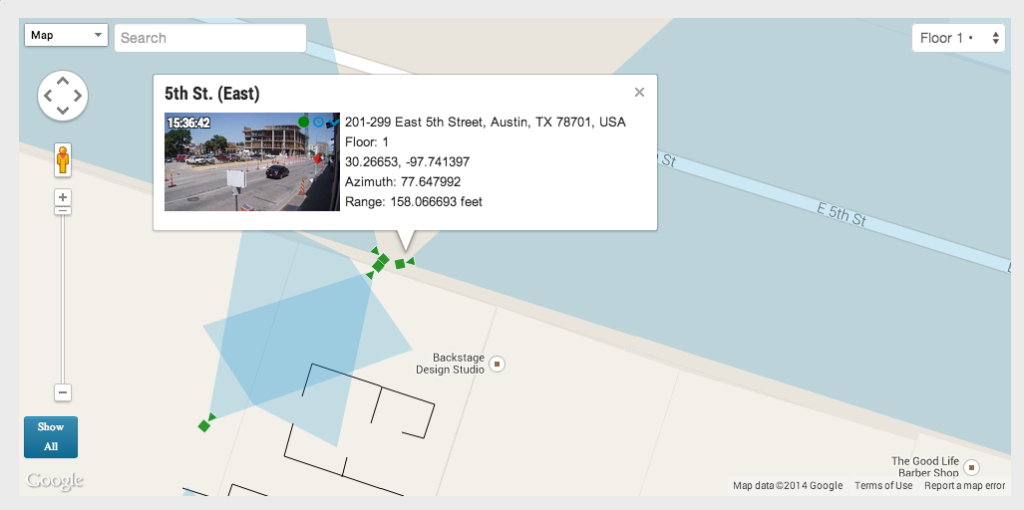
When you click on a camera on the map, it provides a preview stream as well as further information about the camera.
This new feature will change the way you look at your video security. It has added a new layer to the already comprehensive and user-friendly Eagle Eye Security Camera VMS.
あなたに興味があるかもしれない他の投稿



How License Plate Recognition provides a seamless and safe parking experience
To run a parking operation suc…
5月 13, 2024