
Eagle Eye CameraManager Platform version 18.1
febrero 5, 2018

febrero 5, 2018

This week we’re releasing Eagle Eye CameraManager Platform version 18.1. In this release we introduce new features like Camera Modes, Enable/Disable Cameras and an Improved Zone Overview.
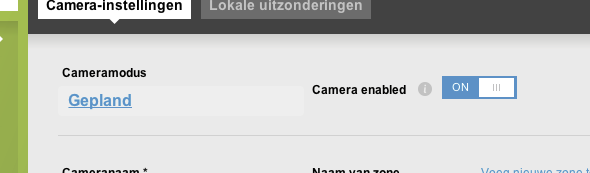
At the moment you can only manage the status of your camera via the zone mode. For example, if a zone mode is «armed», all cameras in the zone are recording. As of Eagle Eye CameraManager 18.1, this can be managed per camera. The following zone modes are supported:
You can now disable the camera. When disabling, the camera remains connected to the Cloud but it will no longer record, show motion detection events, and viewing live video is no longer possible. You can disable the camera in the camera settings.
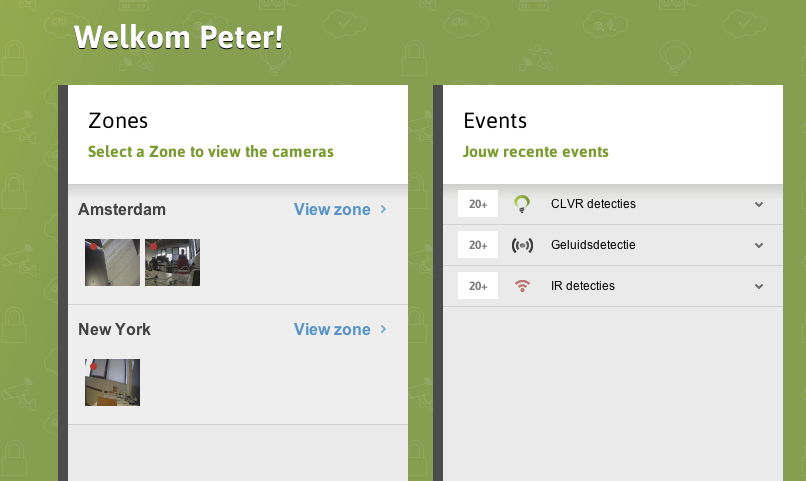
The zone overview now shows a snapshot of the camera with the camera recording status indicating by the RED circle in the snapshot.
Feel free to contact our Support Team when you have any questions.
Contact Us

Since 2012, Eagle Eye Networks has provided smart cloud surveillance solutions, leveraging AI to drive natural language search, automation, and more. Eagle Eye’s camera-agnostic approach heightens security while saving money, time, and resources.


Eagle Eye Networks has added nine supported Eagle Eye Cameras to Eagle Eye CameraManager, expanding the existing portfolio of indoor and residential oriented cameras. Eagle Eye CameraManager supports a wide range…
junio 11, 2019
Visualizaciones de vídeo instantáneas Eagle Eye ha lanzado una versión mejorada de nuestra API de MP4. Esta API la pueden usar los desarrolladores para solicitar archivos MP4 generados de forma…
septiembre 19, 2018
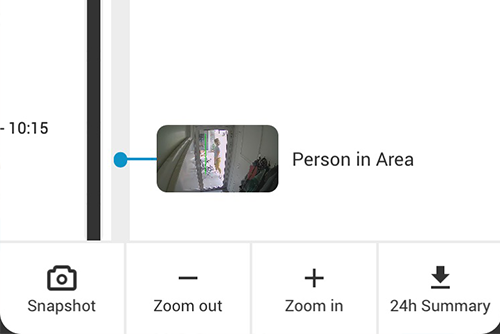
In the last update for our mobile applications, we added a great and convenient feature: the 24-Hour Video Summary. With this video summary, you can instantly generate a 30-second video…
agosto 3, 2018

© 2026 Eagle Eye Networks. All rights reserved.