Eagle Eye Networks

Video Management Software

Everything you need to know about modern, cloud video management software from the experts at Eagle Eye Networks.

IPad-Navigation

New iOS Mobile Features

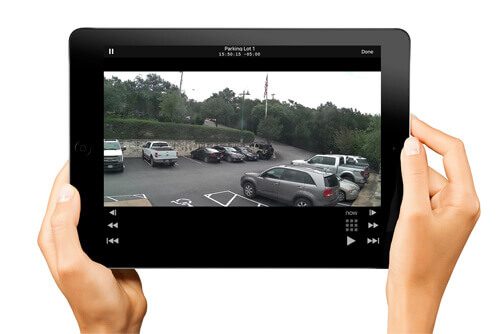
Eagle Eye Networks has released two new iOS features for its mobile app, making the user interface more efficient. The Advanced Searching Feature allows users to search by tags, locations, or any available metadata. The search results are quickly displayed for live viewing and can be toggled to list view,

Read More »

Eagle Eye Networks Launches Camera Cyber Lockdown – UK

June 5, 2017 Enhanced Eagle Eye Cloud Security Camera VMS now includes a firewall to block cameras from external communication even if they have infections or trojans. Austin, TX – Eagle Eye Networks, Inc. today announced it has added Camera Cyber Lockdown to all of its products. Eagle Eye Camera Cyber

Read More »
ransomeware-fi

WannaCry Ransomware

Unfortunately, hackers are always coming up with new ways to make money and exploit systems. Cyber is no different. The WannaCry ransomware breaks new ground in its reach, use of bitcoin, and success. About this Ransomware This ransomware attack on windows-based systems has been brutal for lot of people. It locks

Read More »
TwoFactor-FI

Two Factor Authentication Configuration

Enabling Two Factor Authentication In the top right corner of the Eagle Eye Networks web interface, click on your username and select “My Profile.” Check the box labeled Two Factor Authentication and follow the prompts to enable. Don’t forget to save your changes. If a phone number has not been

Read More »
TwoFactor-FI

Two Factor Authentication

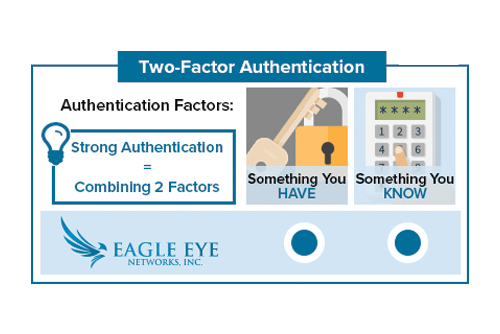
With Two Factor Authentication, an Eagle Eye Networks account can only be accessed on a trusted device. When a user wants to log into a new device for the first time, the user will need to provide two pieces of information – a password and a four-digit security code. The

Read More »
helpfiles-FI

Work Smarter with Help Files

Work smarter! Take advantage of the Help Files located throughout the Eagle Eye web interface. When you see a blue circle with a question mark, you can click for more information.  The Help Files not only explain the options and features for the area they are found, but they also

Read More »
SS-Logo-FI

Swift Sensors Integration

Eagle Eye Networks has recently partnered with Swift Sensors to amplify the experience for the customers of both companies’ cloud-based monitoring systems. The Swift Sensors Enhanced Video Notification places up to four images from multiple cameras in an email notification corresponding to the exact time of the notification event. Upon

Read More »
Local-Display-FI

Local Display via Browser Usage

Local Display A user with permission “Administrator” or “Edit All and Add” is required to enable Local Display. The user must sign into the Eagle Eye Networks Cloud, and from the Dashboard, click the gear icon next to the bridge to open Bridge Settings. Then, select the Local Display tab.

Read More »
Local-Display-FI

Local Display via Browser

Eagle Eye’s newest feature enables customers to view live video on their local area network without the need for cloud connectivity. This feature, named Local Display via Browser, enables users to sign directly into their local Bridge/CMVR instead of the Eagle Eye Cloud. Even without internet connectivity, viewing video is easy

Read More »
videonotespsd

Searchable Video Clip Notes

When saving a video clip, notes can be entered by the user that are searchable from the Notifications page. Notes can also be added, updated and changed, on the Notifications page within the retention period. Previously, to add notes to a downloaded clip, the video would have to be requested

Read More »
videonotespsd

Searchable Video Clip Notes Usage

Downloading and Download Notifications Video can be requested for downloading from the history browser. When a video is ready, it will appear under the notifications flag in the top right of the web interface. It will also appear on Notifications page with a link for downloading as well as a

Read More »
Startup2-FI

Are we still a startup?

We’ve come a long way in just a few years. As one of the early employees, and unofficial company historian, I’m often asked about how things used to be. I’m also often asked about what has changed, what’s still the same, what do I think is going to happen in

Read More »
PoE-FI

Eagle Eye 303 & 403 Bridges now include managed PoE ports

Eagle Eye Networks has relaunched its rack-mountable 303 & 403 Bridges with new capabilities. The 303 & 403 Bridges now include managed PoE ports. Cameras can be remotely restarted within the camera settings tab of the Eagle Eye user interface. Any individual port or all ports can be power cycled.

Read More »
ludicrous-speed-FI

Delivering at Ludicrous-Velocity

An account of how Continuous Delivery enabled us to quickly diagnose and scale in response to recent issues with our Motion Notification system. While chasing a wild goose on my adventure, I accidentally gathered some Gevent benchmarks worth sharing. “They’ve gone plaid” — Spaceballs 1987 Click edit button to change this text.We

Read More »
305-angeled-labels

New Eagle Eye Bridge 305/305s

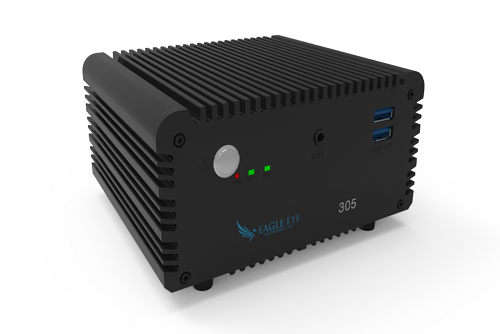
The Eagle Eye Bridge 305/305s is a ruggedized appliance which includes four managed PoE ports. Cameras can be remotely restarted within the camera settings tab of the Eagle Eye user interface. Any individual port or all ports can be power cycled. Eagle Eye managed switches appear on the dashboard for

Read More »