

How to add Cameras to Your CameraManager Account using Plug & Play
Did you know you don’t need any technical background to add a camera to your Eagle Eye CameraManager account? Our recommended CloudCams all come with Plug & Play functionality. This means the system recognizes cameras and can be added into the Eagle Eye CameraManager account without the need for technical know how.
Using Plug & Play eliminates a lot of worry. For example, with Plug & Play you won’t have to worry about router and firewall configurations, changing Internet providers, etc.
Simply follow the steps below to add a camera to your Eagle Eye CameraManager account using Plug & Play:
- Connect the camera to the router.
- Connect the camera to the power outlet.
- Login using the desktop application or one of our mobile apps.
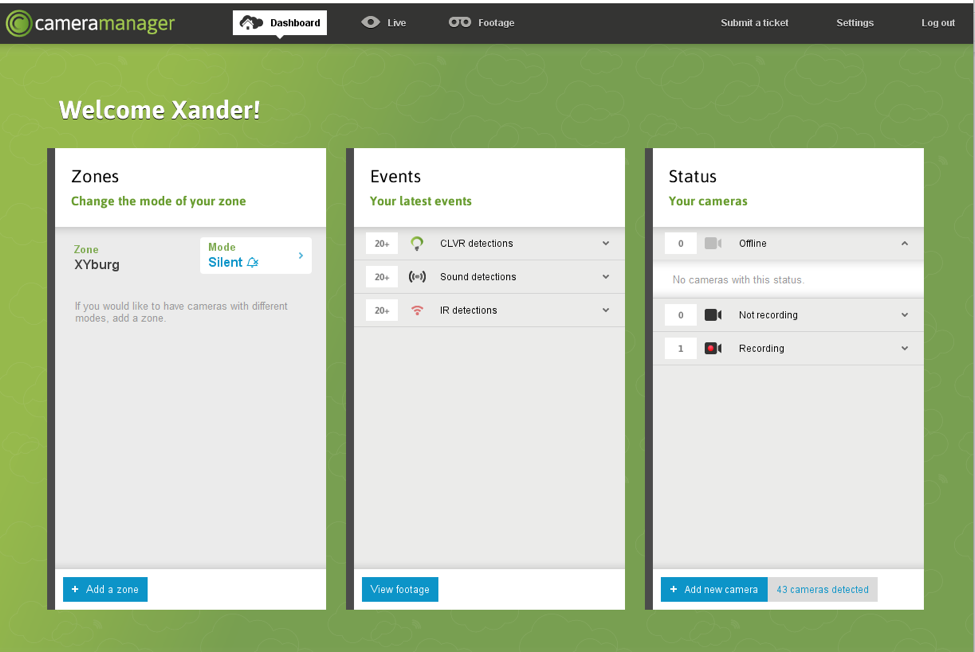
- Add the camera to your account by clicking on the button Add new camera at the bottom left corner. Select the auto-connect button in the popup to automatically connect a camera.
- Select a Zone.
- After connecting, you can change the name of the camera. Also you are able to change the storage location, set up wireless connection and adjust CLVR areas.
- Press Finish and go live. Your camera is now added to your account.
Watch this video to see how this works.
Contact Us

Since 2012, Eagle Eye Networks has provided smart cloud surveillance solutions, leveraging AI to drive natural language search, automation, and more. Eagle Eye’s camera-agnostic approach heightens security while saving money, time, and resources.
D'autres articles qui pourraient vous intéresser


Eagle Eye CameraManager Adds Supported Cameras
Eagle Eye Networks has added nine supported Eagle Eye Cameras to Eagle Eye CameraManager, expanding the existing portfolio of indoor and residential oriented cameras. Eagle Eye CameraManager supports a wide range…
juin 11, 2019
Présentation de l’API de génération instantanée de fichiers MP4 pour Eagle Eye CameraManager
Aperçus Vidéo Instantanés Chez Eagle Eye, nous avons lancé une version améliorée de notre API MP4. Cet API peut être employé par les développeurs pour générer des requêtes à la…
septembre 19, 2018
24 Hour Video Summary
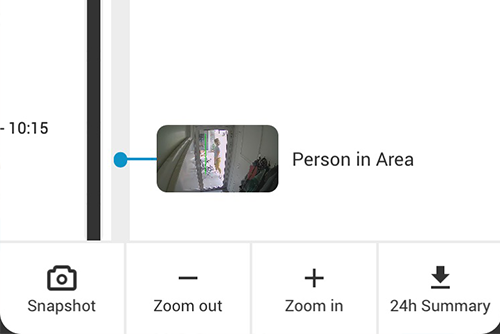
In the last update for our mobile applications, we added a great and convenient feature: the 24-Hour Video Summary. With this video summary, you can instantly generate a 30-second video…
août 3, 2018
