Eagle Eye Networks

Videobewaking

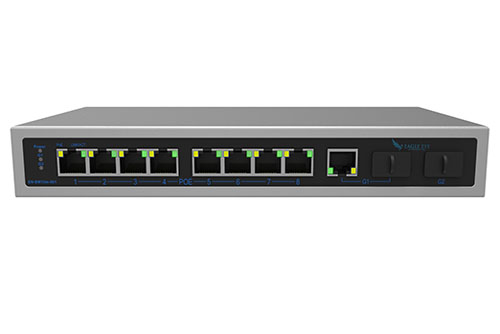
Geintegreerde Beheerde Switches Bridge PoE Poorten

Eagle Eye heeft binnen het Eagle Eye VMS een nieuwe functie gelanceerd waarmee gebruikers de stroom van camera’s die zijn aangesloten op poorten van managed switches en bridges van Eagle Eye, op afstand kunnen uit- en aanzetten. Van elke individuele poort of alle poorten tegelijk kan de stroom worden uit-

Read More »

Verizon Modem Integratie

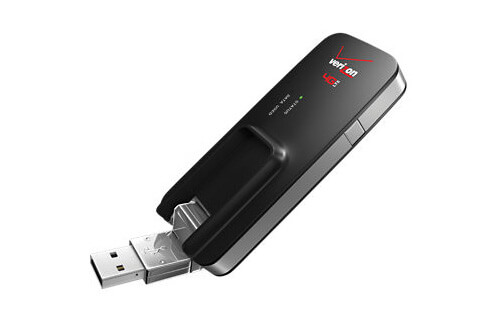
Eagle Eye Networks is nu geïntegreerd met de Verizon MiFi 4G LTE Global USB Modem U620L. Dit betekent dat elke Eagle Eye Bridge of Eagle Eye Cloud Managed Videorecorder (CMVR) verbonden kan worden met het Eagle Eye Cloud Data Center met alleen een mobiele verbinding. De Verizon MiFi-cellulaire modem verbindt

Read More »

Uitgebreide Transit Modi

Eagle Eye Networks heeft onlangs drie nieuwe bandbreedte-modi toegevoegd waar gebruikers uit kunnen kiezen: Percentage van Beschikbaar – U kunt nu de zendsnelheid voor de Bridge aanpassen op een percentage van de beschikbare bandbreedte. Dit heeft invloed op de standaard zendsnelheid, evenals de geplande zendsnelheid. Een schuifregelaar wordt gebruikt om het

Read More »
Adjusting Motion Settings

Bewegingsinstellingen Aanpassen

Regio’s en Waarschuwingen De Eagle Eye Networks VMS staat een oneindig aantal regio’s en waarschuwingen toe per camera. Deze kunnen toegevoegd worden door de camera instellingen te openen en de bewegingstab te selecteren. In dit voorbeeld wordt een regio genaamd Entry-Exit getoond met een aparte bewegingsgevoeligheid van de algemene bewegingsgevoeligheid van de afbeelding.

Read More »
Checksum to Ensure Data Integrity

Ensure Data Integrity with Checksum

At Eagle Eye Networks we are often asked about ‘Watermarking’ on our recorded video to ensure data integrity. This can be guaranteed by using the ‘checksum’ approach as used in many digital data transfers. The article below from ‘Online Tech Tips’ explains ‘Checksum’ and how it is used to ensure

Read More »
Add Camera Enhancements

Add Camera Enhancements

Feature Release December 13, 2016 Add Camera Enhancements When adding a camera, some settings can be edited while waiting for the add camera process to complete. Name and tags are presented for editing while adding. Clicking “more settings” allows editing the On/Off/Schedule, Time Zone and Notes. Examples From the Dashboard,

Read More »
Links for Historic Video

Links for Historic Video

Feature Release October 4, 2016 Create Links from History Browser It’s now possible to get a link to a specific time or selection of time in the history browser so that you can send it to someone who has access to the camera you are viewing. History browser with time selection

Read More »
Manage Multiple Locations Easily

Manage Multiple Locations Easily

People are busy and can’t be everywhere at once.  Now imagine that you’re a business owner trying to manage multiple locations.  There is a lot to keep an eye on. Eagle Eye Networks is well positioned to assist all verticals that have multiple locations – for security purposes and beyond.

Read More »
POE Switch-FI

New Managed PoE Switches

Eagle Eye Networks now offers Managed PoE Switches, and that’s great news.  Integrating Eagle Eye Networks Managed PoE Switch with your existing system allows for additional tools that enable faster installation, easier maintenance and upgrades, and better visibility into network health. Utilizing Eagle Eye Network’s Managed PoE Switches with your

Read More »
Interactive Maps Feature

Interactive Maps Feature

The Eagle Eye Security Camera VMS has added a maps feature to the viewing platform. This user-controlled feature has integrated a map into the user-platform and provides a physical layout of a camera system. Here is what the layout looks like, using the Eagle Eye Networks office and camera layout

Read More »
Gallery Viewer for Viewing Record

New Gallery Viewer Feature

We’ve added a new gallery viewer feature to the Eagle Eye Security Camera VMS, making viewing historic video easier and more intuitive than ever. When looking through previously recorded video, it is easier to navigate if you have more visibility– especially if you’re looking with a purpose. Our gallery viewer

Read More »
Adding help for camera settings

Help Window for Camera Settings

Our customers have asked for a little help with navigating the camera settings. We listened- and delivered. There is now a question mark icon (as indicated in the image below) that opens up a new window with detailed and guided help. Each of the camera setting tabs (camera, retention, resolution,

Read More »
Surveillance on a plane

Video Surveillance on a Plane

We’re always saying how you can use the Eagle Eye Security Camera VMS from anywhere. Yesterday I decided to put that to the test. I was on a Southwest Airlines flight between Dallas and Kansas City, and fired up my web browser to view some video. Check out the results

Read More »
Remote storage for low-bandwidth installations

Remote storage: low-bandwidth installs

We received an alert that our equipment had lost connection to the internet. As soon as got the alert we also got the preview image for the second it was installed. We are always sending the low resolution preview stream to the cloud. The high resolution, full-framerate video comes up

Read More »
Preview of the Eagle Eye time lapse feature

Time Lapse Feature Preview

One of the benefits of a centrally managed software solution is that updates can be delivered without requiring the end user to install anything new. One example of this is the new time lapse feature we’ve been working on. One of our engineers put this video together to show how

Read More »