Eagle Eye Networks

Sistema di telecamere di sicurezza

Tutto ciò che devi sapere sull'implementazione, la gestione e l'aggiornamento del tuo sistema di telecamere di sicurezza con Eagle Eye Cloud VMS.

MacDesktop_small

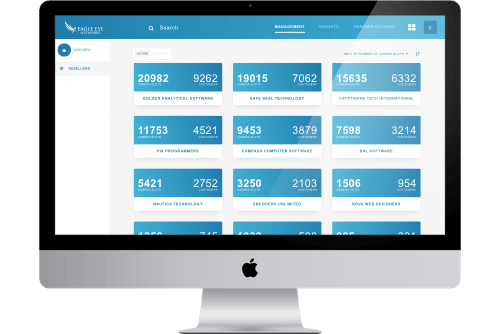
Eagle Eye CameraManager Partner Portal 2.0

As a partner, it’s essential to have a fast and easy-to-use portal for managing your resellers and customers. To achieve this, we have our trusted Partner Portal that helps you manage your business and saves you a bunch of time. Although this is a great tool, we wanted to do
Read More »

Eagle Eye CameraManager Platform version 18.1

This week we’re releasing Eagle Eye CameraManager Platform version 18.1.  In this release we introduce new features like Camera Modes, Enable/Disable Cameras and an Improved Zone Overview. Camera Modes At the moment you can only manage the status of your camera via the zone mode. For example, if a zone

Read More »
motion-vs-analytics-blog-image-c

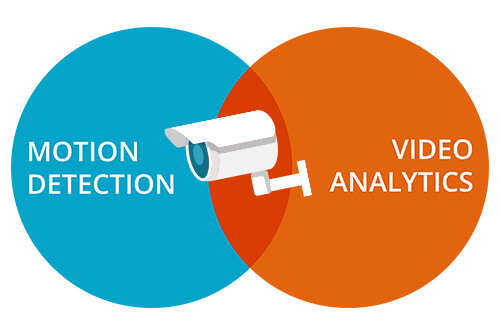
Motion Detection vs. Analytics

The Eagle Eye Cloud Security Camera VMS includes an integrated motion detection and object-based analytics system. This provides a variety of features, which recognize motion and objects in your video, and can be used to send intelligent notifications. To help decide which feature(s) will work best for you, we have

Read More »

CameraManager US-Based Server Live

Eagle Eye CameraManager US-Based Server Live Last month Eagle Eye CameraManager launched it’s US based data center. Next to the current servers – located in Amsterdam and Singapore – this new location strengthens our position as a global cloud based video surveillance platform. With our platform growing quickly throughout the

Read More »
cmvr-product-blog

Eagle Eye CMVRs

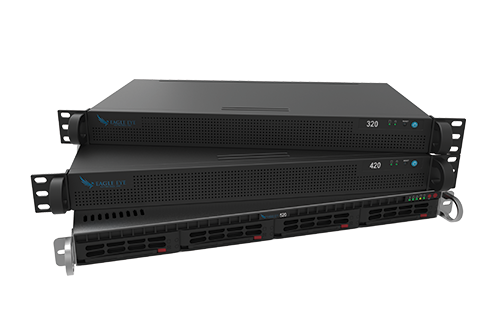
In addition to Eagle Eye Bridges, we also offer a range of Cloud Managed Video Recorders (CMVRs). Eagle Eye Bridges transfer video to the cloud, while Eagle Eye CMVRs provide both on-premise and cloud video storage. CMVRs are ideal for when there is limited bandwidth or if there’s a policy

Read More »
5-port-switch-blog

5 Port Managed PoE Switch

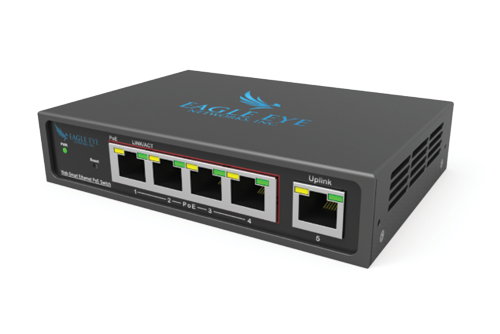
Eagle Eye Networks now offers a compact, 5 Port Managed PoE Switch. This is perfect for customers who have limited space and need 1-4 PoE ports. Eagle Eye Networks’ Managed PoE Switches were designed specifically for video surveillance, giving authorized users the ability to power cycle individual PoE ports and

Read More »
generic-beach-resort

Mastering the Podium: Opening & Welcome

This week marks my six month working with vacation clubs and I’ve had some amazing opportunities thus far. I’ve had the privilege of (1) learning from executives and functional employees at countless clubs, (2) sitting in on both podiums and signing ceremonies at many of said clubs, and (3) attending

Read More »

Eagle Eye CameraManager: New Subscriptions

NEW SUBSCRIPTIONS We launched our new subscriptions for Eagle Eye CameraManager. With this, we offer a new standard for all Eagle Eye CameraManager partners. The new subscriptions replace the existing Starter, Business, and Professional subscriptions and come with better and improved features. IMPROVED VIDEO QUALITY With these new subscriptions, we significantly improved the

Read More »

The Benefits of LocalLink

With Eagle Eye CameraManager comes a desktop application which you can install and run on your local machine. Because it’s a local application the application contains the most advanced features and is very responsive.

Read More »

How to Manage Cameras on Multiple Locations

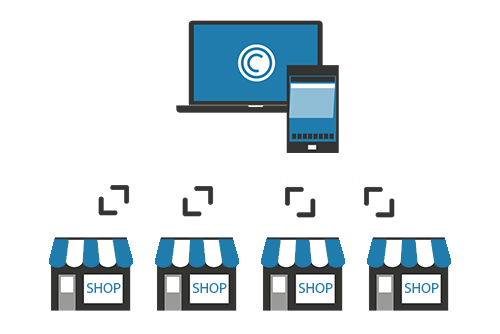
With Eagle Eye CameraManager you can manage cameras at multiple locations in one single overview. Because all the cameras connect to the cloud you can easily manage all the cameras from one place. Zones For each location, you can create a zone with the corresponding (optional) contact information. In the

Read More »

Attraversamento di linee virtuali

Informazioni sull’attraversamento di linee virtuali L’attraversamento di linee virtuali si imposta come il conteggio di oggetti, ma con la possibilità di inviare una notifica quanto il limite viene attraversato nella direzione specificata. Il conteggio attuale non viene sovrapposto all’anteprima o alla cronologia del browser, ma il conteggio viene rappresentato con un

Read More »

Conteggio oggetti

Informazioni sul conteggio di oggetti Per la massima precisione nel conteggio di persone, usare una videocamera dedicata montata con visione dell’alta in cui le persone rimangono delle stesse dimensioni mentre si spostano all’interno dell’immagine. Affinché siano conteggiati, gli oggetti devono essere monitorati quanto attraversano una virtuale. Questo significa che l’oggetto

Read More »

Rilevazione intrusioni

Informazioni sulla rilevazione delle intrusioni La rilevazione delle intrusioni è utilizzata per generare un allarme quando un oggetto entra in una zona vietata. La zona vietata può avere qualunque forma e dimensione. Possono essere inviate notifiche. Le aree di intrusione si creano analogamente alle aree di movimento. Clicca sul segno + giallo per

Read More »

Attivare gli strumenti di analisi

Come si attivano gli strumenti di analisi Per attivare gli strumenti analisi, vai alle impostazioni della videocamera e scegli la scheda degli Strumenti di analisi. Ciascuno strumento di analisi può essere attivato in modo distinto ed è addebitato per videocamera. Una nuova scheda comparirà per ciascuno strumento quando si spunta

Read More »