Eagle Eye Networks

Sistema di telecamere di sicurezza

Tutto ciò che devi sapere sull'implementazione, la gestione e l'aggiornamento del tuo sistema di telecamere di sicurezza con Eagle Eye Cloud VMS.

Manage Multiple Locations Easily

Manage Multiple Locations Easily

People are busy and can’t be everywhere at once.  Now imagine that you’re a business owner trying to manage multiple locations.  There is a lot to keep an eye on. Eagle Eye Networks is well positioned to assist all verticals that have multiple locations – for security purposes and beyond.

Read More »
POE Switch-FI

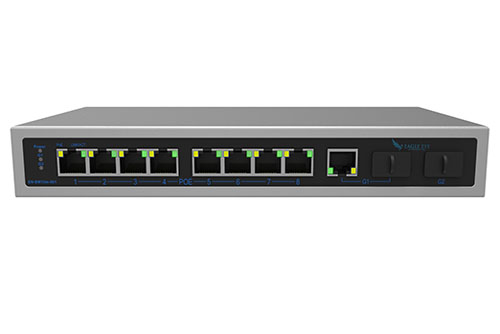
New Managed PoE Switches

Eagle Eye Networks now offers Managed PoE Switches, and that’s great news.  Integrating Eagle Eye Networks Managed PoE Switch with your existing system allows for additional tools that enable faster installation, easier maintenance and upgrades, and better visibility into network health. Utilizing Eagle Eye Network’s Managed PoE Switches with your

Read More »
adding-cameras-through-RTSP

Adding Cameras Through RTSP

For best results, we recommend using cameras on our officially supported list. We also understand that this isn’t always possible. Some installations need to make use of existing equipment or may have specialty cameras. We have an advanced option that allows for adding cameras directly. We support RTSP and can

Read More »
Interactive Maps Feature

Interactive Maps Feature

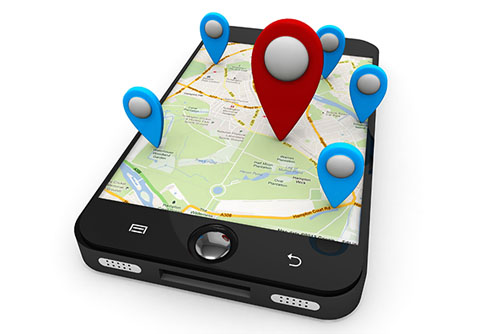
The Eagle Eye Security Camera VMS has added a maps feature to the viewing platform. This user-controlled feature has integrated a map into the user-platform and provides a physical layout of a camera system. Here is what the layout looks like, using the Eagle Eye Networks office and camera layout

Read More »
Gallery Viewer for Viewing Record

New Gallery Viewer Feature

We’ve added a new gallery viewer feature to the Eagle Eye Security Camera VMS, making viewing historic video easier and more intuitive than ever. When looking through previously recorded video, it is easier to navigate if you have more visibility– especially if you’re looking with a purpose. Our gallery viewer

Read More »
masking-out-motion-areas

Creating Email Alerts

In part 1, we showed how to mask out a motion zone to ignore motion. In this post we are going to show how to create email alerts. We will be setting up email alerts on my front door. I am interested on getting an email notification whenever someone enters

Read More »
new-guided-tour-features

New Guided Tour features

We try to keep our product simple and easy to use. One way we do this is by guiding new installers through the setup process. Below is the new setup process with guided instructions. When first logging in, you will be prompted to add a bridge. While the bridge is

Read More »
masking-out-motion-areas

Masking Out Motion Areas

Often there is repetitive motion in a scene that you want to ignore. A great example of this is a TV or a swaying tree. Having constant motion makes it difficult to quickly find the item you are looking for. It is like adding more hay to the stack when

Read More »
Adding help for camera settings

Help Window for Camera Settings

Our customers have asked for a little help with navigating the camera settings. We listened- and delivered. There is now a question mark icon (as indicated in the image below) that opens up a new window with detailed and guided help. Each of the camera setting tabs (camera, retention, resolution,

Read More »
Surveillance on a plane

Video Surveillance on a Plane

We’re always saying how you can use the Eagle Eye Security Camera VMS from anywhere. Yesterday I decided to put that to the test. I was on a Southwest Airlines flight between Dallas and Kansas City, and fired up my web browser to view some video. Check out the results

Read More »
Remote storage for low-bandwidth installations

Remote storage: low-bandwidth installs

We received an alert that our equipment had lost connection to the internet. As soon as got the alert we also got the preview image for the second it was installed. We are always sending the low resolution preview stream to the cloud. The high resolution, full-framerate video comes up

Read More »
Preview of the Eagle Eye time lapse feature

Time Lapse Feature Preview

One of the benefits of a centrally managed software solution is that updates can be delivered without requiring the end user to install anything new. One example of this is the new time lapse feature we’ve been working on. One of our engineers put this video together to show how

Read More »
enabling-onvif-support-for-axis-cameras

Enabling Axis ONVIF support

Axis makes terrific cameras and as a founding member of the ONVIF standard they are a great compliment to our product. Axis handles security for their cameras uniquely and the purpose of this blog post is to show how to enable ONVIF support in their cameras. [NOTE: If it is

Read More »
bandwidth-usage

Bandwidth Recommendations

Executive Summary: We recommend 100kbps per camera for our realtime previews stream. You can adjust the quality on those by raising or lowering the settings but those are safe averages. We load balance and pool requests so that multiple people watching the same live stream view it through our cloud

Read More »
common-support-questions

Common Support Questions

How do I add a bridge? Each bridge comes with a unique Attach ID. The Attach ID is used to associate that bridge with an account. In order to add a bridge to an account, enter the Attach ID and a name for the bridge. The bridge will now be

Read More »