
Eagle Eye Networks

Système de Caméra de Sécurité

Tout ce que vous devez savoir sur le déploiement, la gestion et la mise à niveau de votre système de caméra de sécurité avec Eagle Eye Cloud VMS.

Eagle Eye CameraManager OAuth login support

We are continuously improving the API platform with new API’s and features. We recently added support for the OAuth login panel. With this panel, customers can share their Eagle Eye CameraManager data, such as live video, with third-party systems without revealing user credentials. With Comfortability, for example, customers  can log
Read More »
MacDesktop_small

Eagle Eye CameraManager Partner Portal 2.0

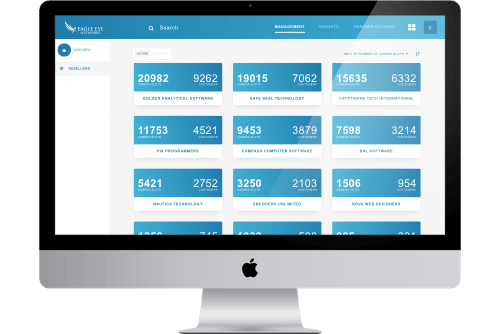
As a partner, it’s essential to have a fast and easy-to-use portal for managing your resellers and customers. To achieve this, we have our trusted Partner Portal that helps you manage your business and saves you a bunch of time. Although this is a great tool, we wanted to do

Read More »

Eagle Eye CameraManager Platform version 18.1

This week we’re releasing Eagle Eye CameraManager Platform version 18.1.  In this release we introduce new features like Camera Modes, Enable/Disable Cameras and an Improved Zone Overview. Camera Modes At the moment you can only manage the status of your camera via the zone mode. For example, if a zone

Read More »
motion-vs-analytics-blog-image-c

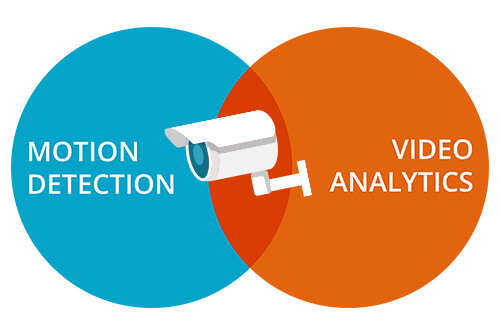
Motion Detection vs. Analytics

The Eagle Eye Cloud Security Camera VMS includes an integrated motion detection and object-based analytics system. This provides a variety of features, which recognize motion and objects in your video, and can be used to send intelligent notifications. To help decide which feature(s) will work best for you, we have

Read More »

CameraManager US-Based Server Live

Eagle Eye CameraManager US-Based Server Live Last month Eagle Eye CameraManager launched it’s US based data center. Next to the current servers – located in Amsterdam and Singapore – this new location strengthens our position as a global cloud based video surveillance platform. With our platform growing quickly throughout the

Read More »
cmvr-product-blog

Eagle Eye CMVRs

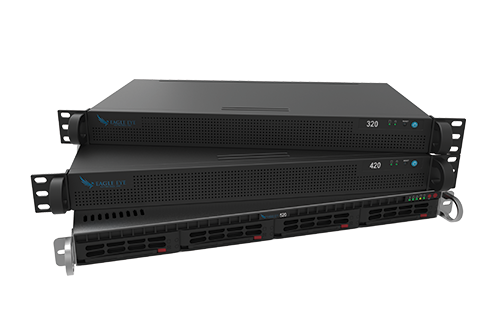
In addition to Eagle Eye Bridges, we also offer a range of Cloud Managed Video Recorders (CMVRs). Eagle Eye Bridges transfer video to the cloud, while Eagle Eye CMVRs provide both on-premise and cloud video storage. CMVRs are ideal for when there is limited bandwidth or if there’s a policy

Read More »
5-port-switch-blog

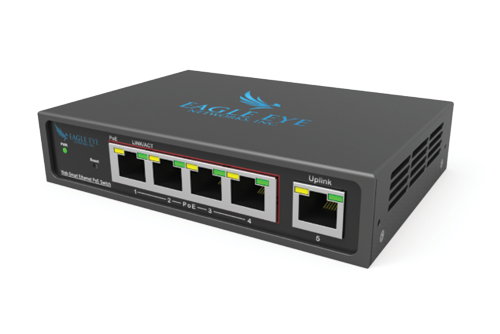
5 Port Managed PoE Switch

Eagle Eye Networks now offers a compact, 5 Port Managed PoE Switch. This is perfect for customers who have limited space and need 1-4 PoE ports. Eagle Eye Networks’ Managed PoE Switches were designed specifically for video surveillance, giving authorized users the ability to power cycle individual PoE ports and

Read More »
generic-beach-resort

Mastering the Podium: Opening & Welcome

This week marks my six month working with vacation clubs and I’ve had some amazing opportunities thus far. I’ve had the privilege of (1) learning from executives and functional employees at countless clubs, (2) sitting in on both podiums and signing ceremonies at many of said clubs, and (3) attending

Read More »

Eagle Eye CameraManager: New Subscriptions

NEW SUBSCRIPTIONS We launched our new subscriptions for Eagle Eye CameraManager. With this, we offer a new standard for all Eagle Eye CameraManager partners. The new subscriptions replace the existing Starter, Business, and Professional subscriptions and come with better and improved features. IMPROVED VIDEO QUALITY With these new subscriptions, we significantly improved the

Read More »

The Benefits of LocalLink

With Eagle Eye CameraManager comes a desktop application which you can install and run on your local machine. Because it’s a local application the application contains the most advanced features and is very responsive.

Read More »

How to Manage Cameras on Multiple Locations

With Eagle Eye CameraManager you can manage cameras at multiple locations in one single overview. Because all the cameras connect to the cloud you can easily manage all the cameras from one place. Zones For each location, you can create a zone with the corresponding (optional) contact information. In the

Read More »

Franchissement de Ligne

À propos du Franchissement de Ligne La configuration du Franchissement de Ligne est la même que pour le Décompte d’Objets, mais avec la capacité d’envoyer une notification lorsqu’une ligne est franchie dans une direction précise. Le décompte n’est pas affiché en surcouche sur l’aperçu ou l’historique du navigateur, mais il

Read More »

Décompte d’Objets

Au Sujet du Décompte d’Objets Pour une plus grande précision lors du décompte de personnes, utilisez une caméra dédiée avec une vue de dessus dans laquelle les personnes conservent la même taille lorsqu’ils traversent l’image. Afin d’être comptés, les objets doivent traverser une ligne. Ceci signifie que l’objet doit être

Read More »

Détection d’Intrusion

À Propos de la Détection d’Intrusion La détection d’intrusion est employée pour générer des alertes lorsqu’un objet entre dans une zone restreinte. La zone restreinte peut être de n’importe quelle taille ou forme. Les notifications pourront être envoyées. Les régions d’intrusion sont créées de la même manière que les régions

Read More »