Eagle Eye Networks

Beveiliging Camera Systeem

Alles wat u moet weten over het implementeren, beheren en upgraden van uw beveiligingscamerasysteem met de Eagle Eye Cloud VMS.

Preview of the Eagle Eye time lapse feature

Time Lapse Feature Preview

One of the benefits of a centrally managed software solution is that updates can be delivered without requiring the end user to install anything new. One example of this is the new time lapse feature we’ve been working on. One of our engineers put this video together to show how

Read More »
enabling-onvif-support-for-axis-cameras

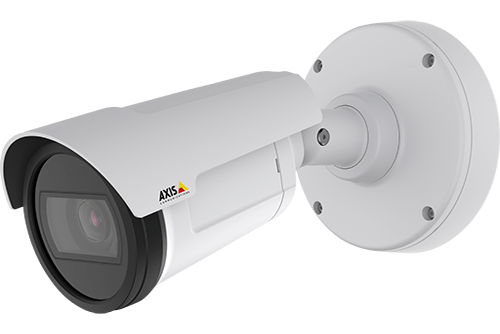
Enabling Axis ONVIF support

Axis makes terrific cameras and as a founding member of the ONVIF standard they are a great compliment to our product. Axis handles security for their cameras uniquely and the purpose of this blog post is to show how to enable ONVIF support in their cameras. [NOTE: If it is

Read More »
bandwidth-usage

Bandwidth Recommendations

Executive Summary: We recommend 100kbps per camera for our realtime previews stream. You can adjust the quality on those by raising or lowering the settings but those are safe averages. We load balance and pool requests so that multiple people watching the same live stream view it through our cloud

Read More »
common-support-questions

Common Support Questions

How do I add a bridge? Each bridge comes with a unique Attach ID. The Attach ID is used to associate that bridge with an account. In order to add a bridge to an account, enter the Attach ID and a name for the bridge. The bridge will now be

Read More »
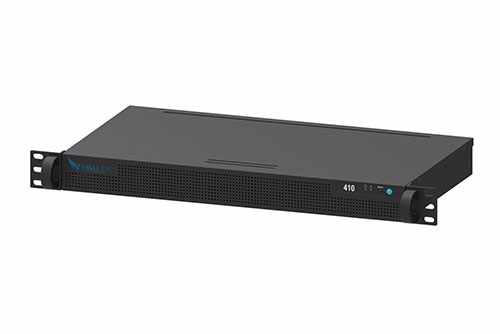
410 bridge-fi

Analog Bridge Released

Eagle Eye Networks Bridge 410 is now available.  This model of the Bridge provides all of the same benefits of our other Bridge models, but this one allows you to connect up to 8 analog cameras – directly to the Bridge.  There is no need to buy encoders, just plug

Read More »